SprintHR AI Onboarding Hub
Cut employee onboarding from weeks to minutes, AI-powered, zero HR overhead

Project Overview
Client: Sprint Onboarding Hub is an AI-powered assistant , a MIT project
Industry: IT
Timeline: 8 weeks
My Role: End-to-End UX/UI Design, Research & Strategy
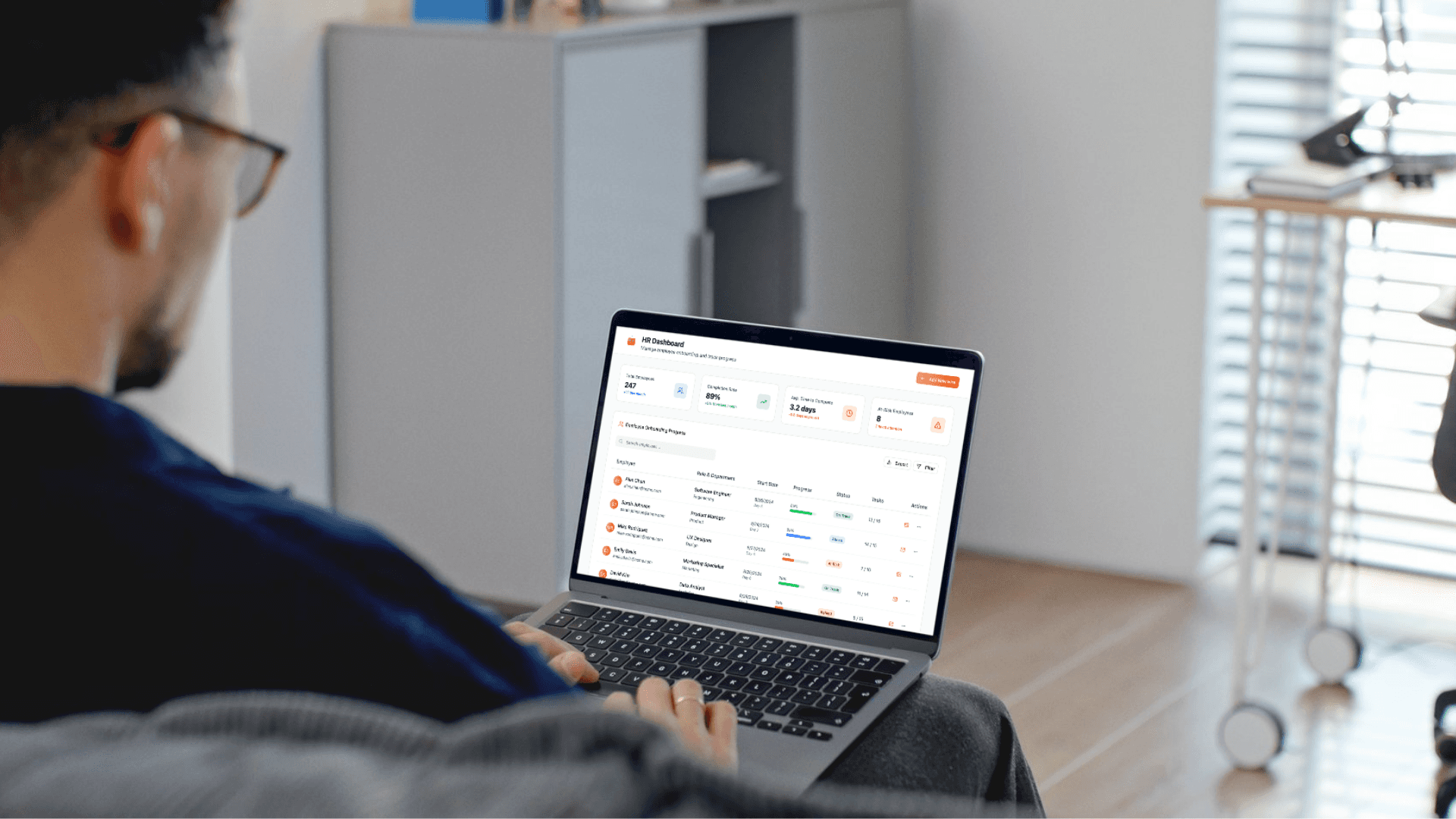
About
The Sprint Onboarding Hub is an AI-powered assistant designed to streamline employee onboarding by automating repetitive tasks, providing instant answers to common questions, and giving HR teams visibility into the onboarding process.
Problem Statement
Employee onboarding is typically fragmented across multiple systems and departments, creating confusion for new hires and overwhelming HR teams with repetitive tasks.
Solution
An intelligent onboarding companion that guides new employees through their first 90 days while providing HR managers with comprehensive progress tracking and analytics.
Research
Target users
Primary Users: New employees (first 30–90 days).
Secondary Users: HR managers overseeing onboarding, Hiring managers seeking progress visibility.
Through analysis of common onboarding pain points, I identified three critical areas of friction:
New Employees | HR Teams | Managers |
|---|---|---|
|
|
|
Key Statistics Identified
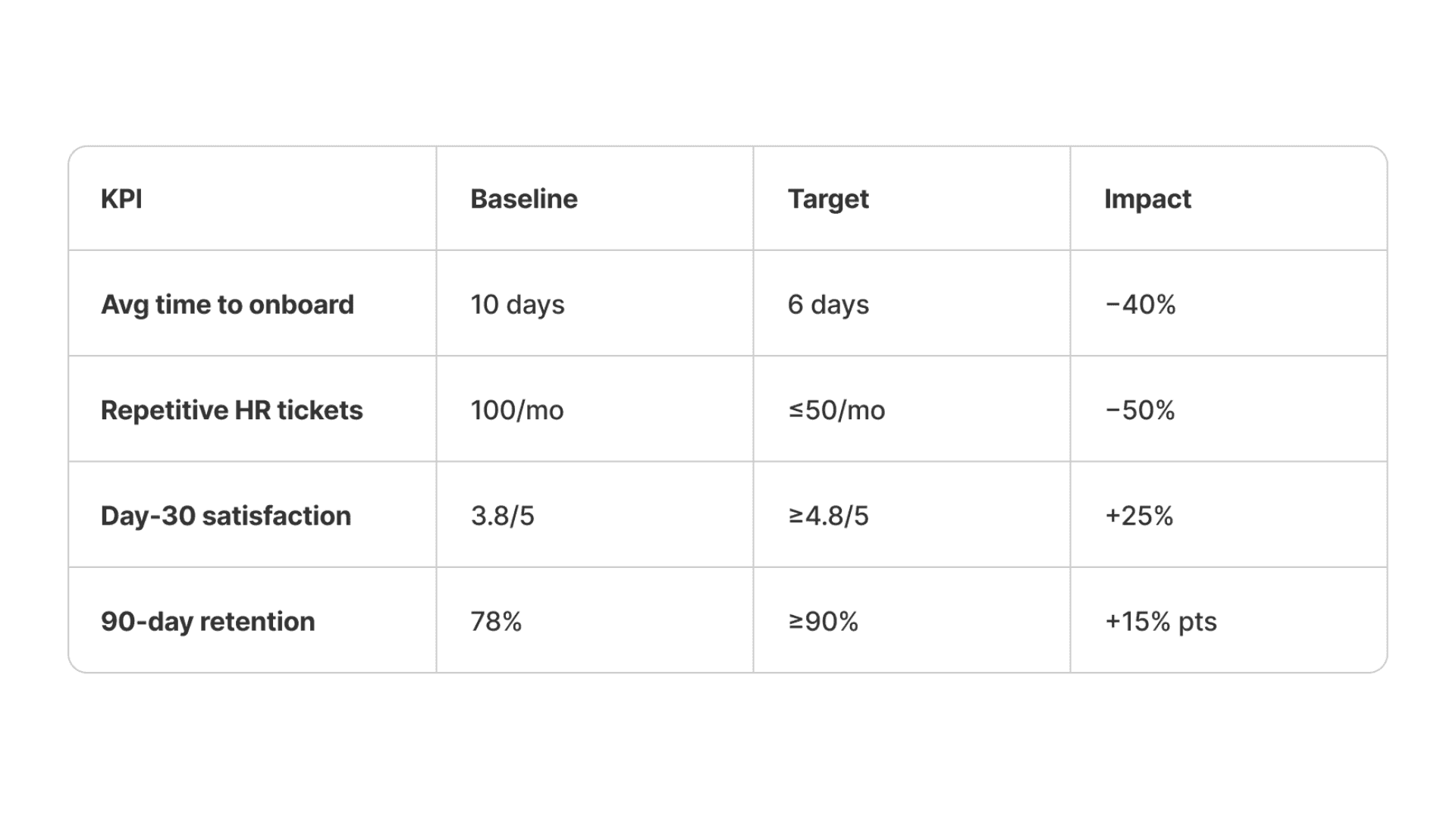
Average onboarding time | HR repetitive tickets | Day-30 satisfaction: | 90-day retention: |
|---|---|---|---|
10 days | 100/month | 3.8/5 | 78% |
User Persona
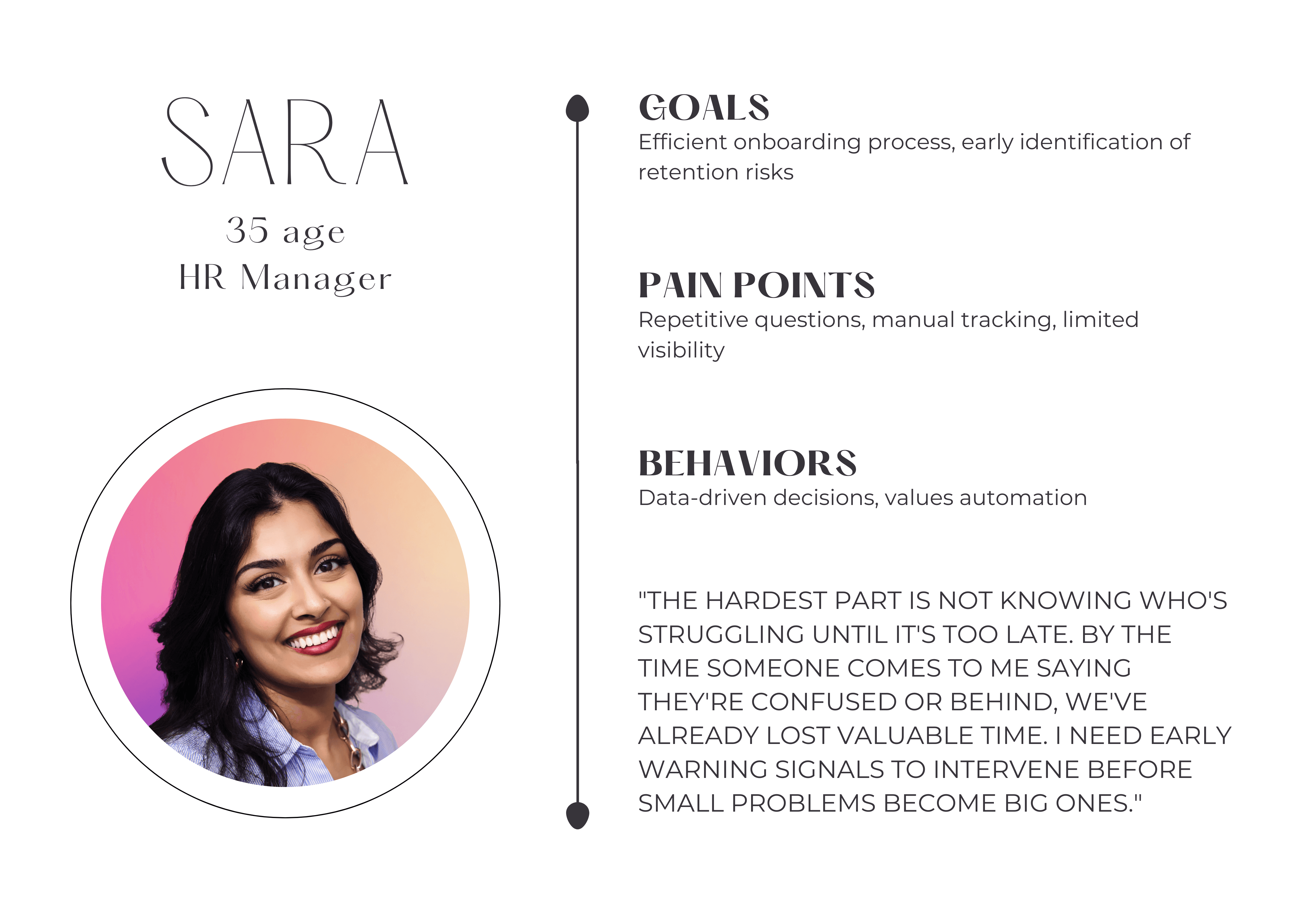
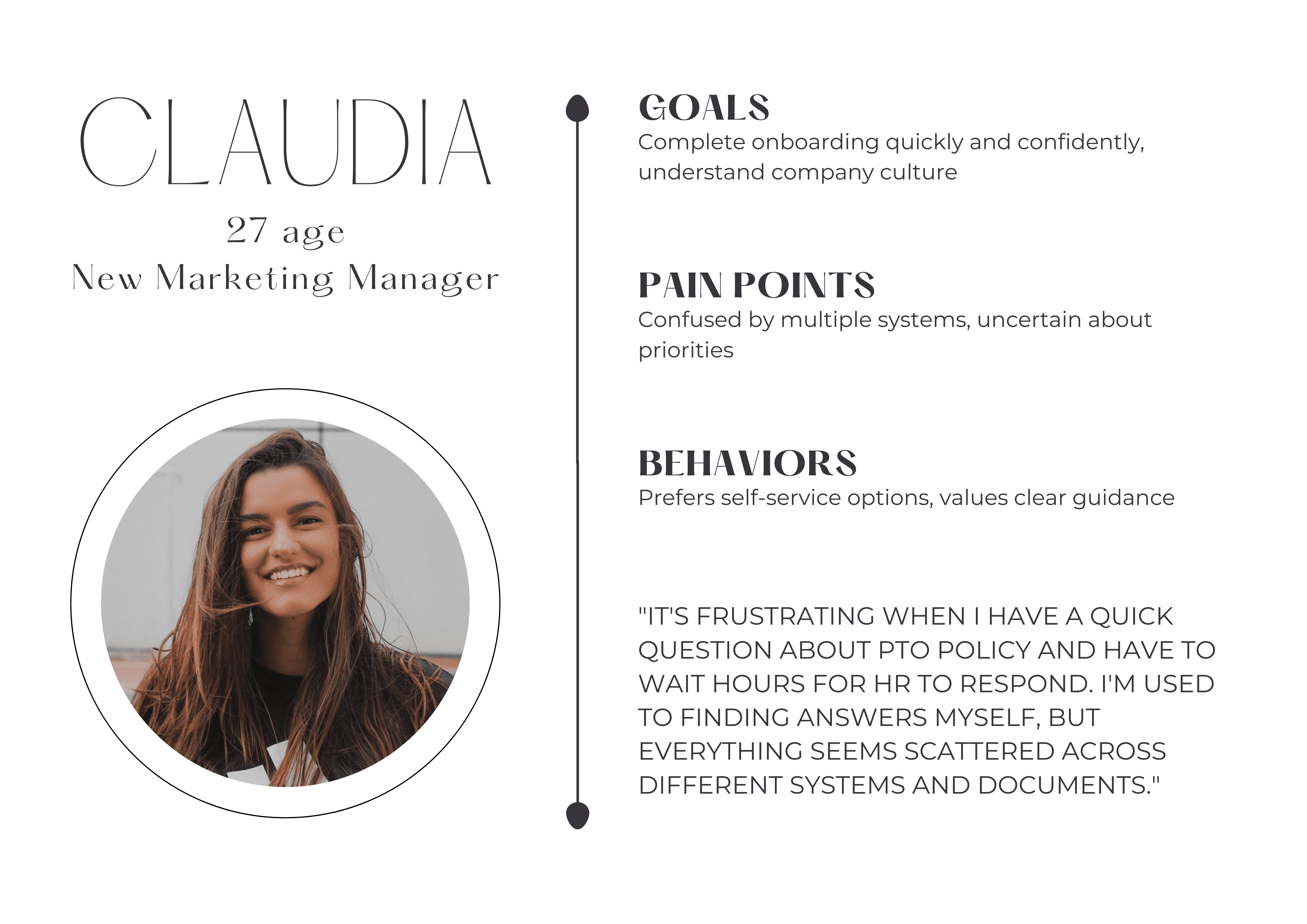
User Stories
01 | 02 | 03 |
|---|---|---|
As a new employee, I want a chatbot that can answer common onboarding questions (benefits, PTO, policies) so that I don’t have to wait for HR responses. | As a new employee, I want a clear onboarding checklist with automated reminders so that I can complete tasks (email setup, payroll enrollment, Slack access) without missing steps. | As an HR manager, I want a dashboard that shows each employee’s onboarding progress so that I can quickly identify who needs support. |
04 | 05 | 06 |
|---|---|---|
As a hiring manager, I want visibility into my new team member’s onboarding completion so that I can ensure they are productive by their first week. | As an HR leader, I want automated Day-30 and Day-90 pulse checks so that I can measure onboarding satisfaction and identify retention risks early. | As a hiring manager, I want visibility into my new team member’s onboarding completion so that I can ensure they are productive by their first week. |
Site Map
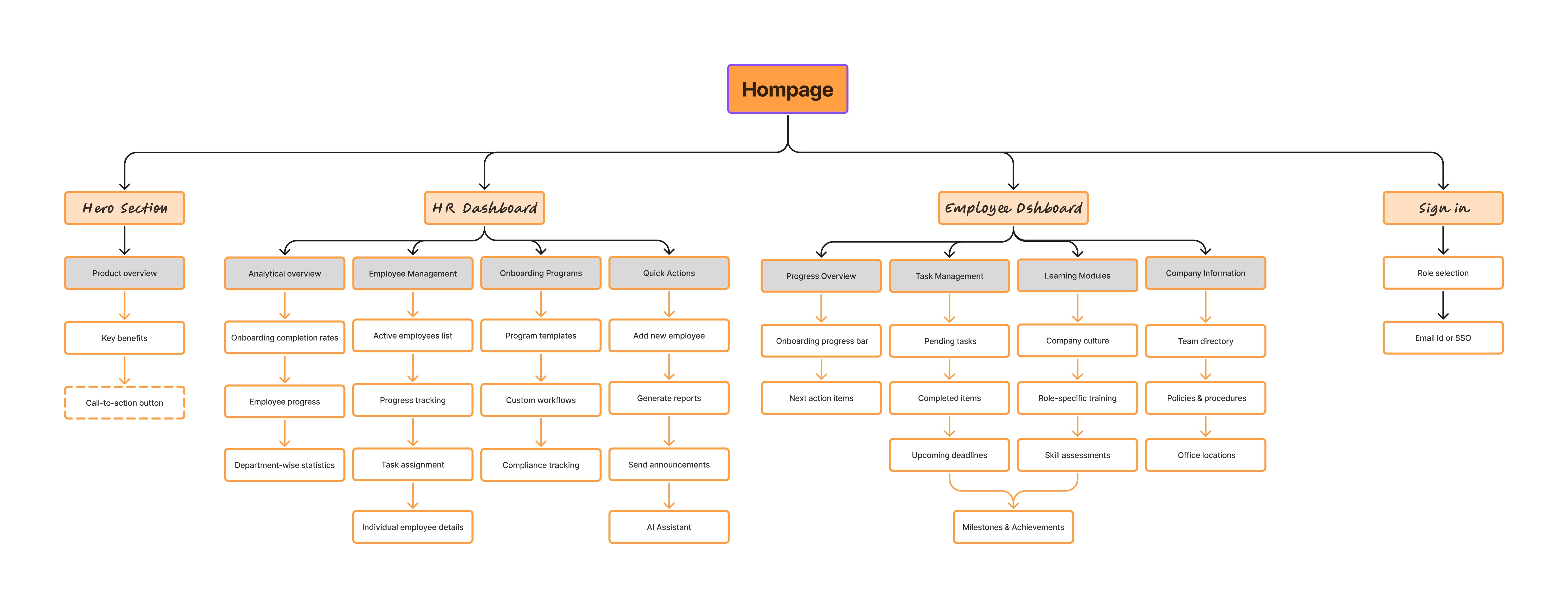
Website Experience
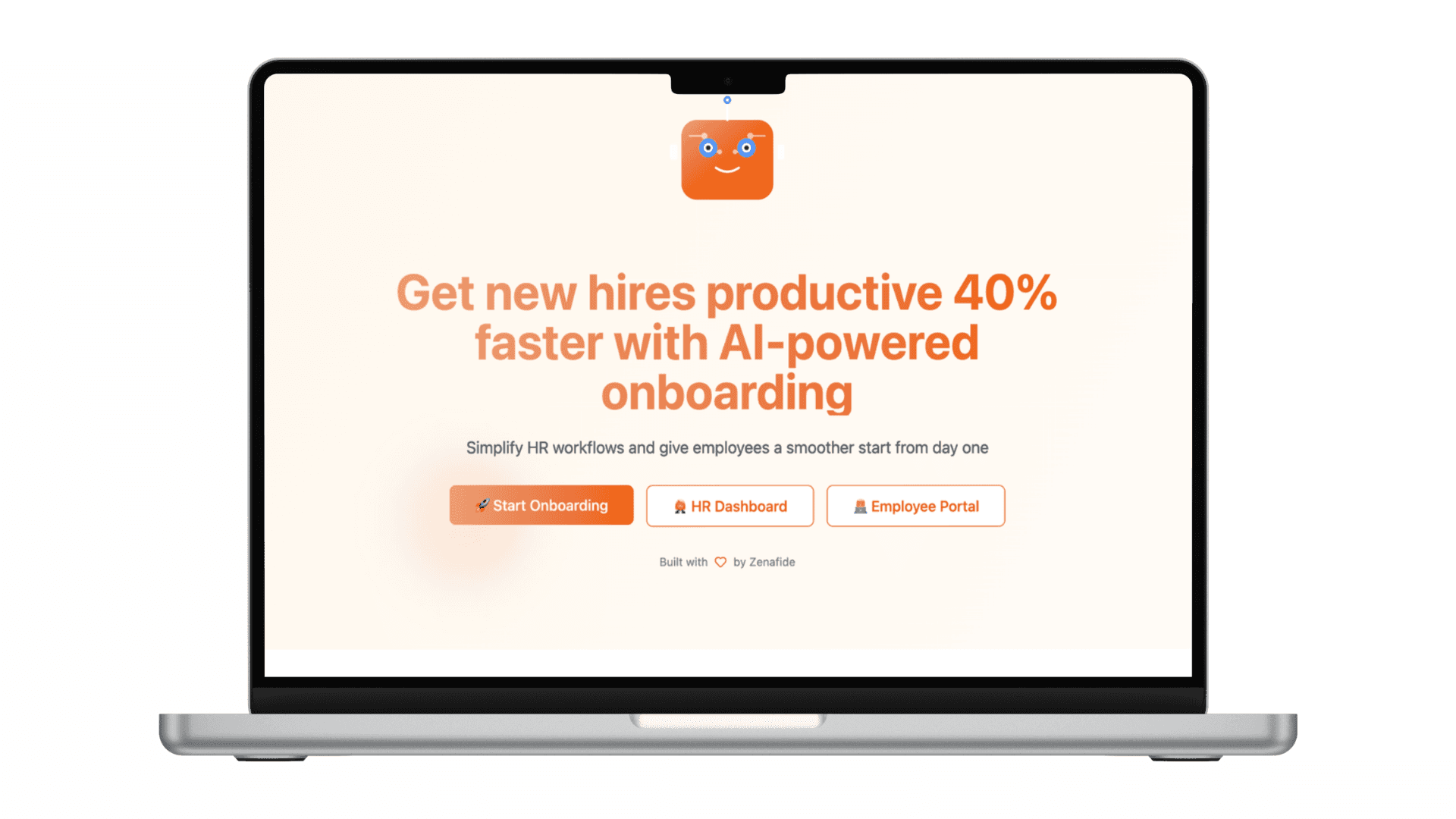
Landing Page
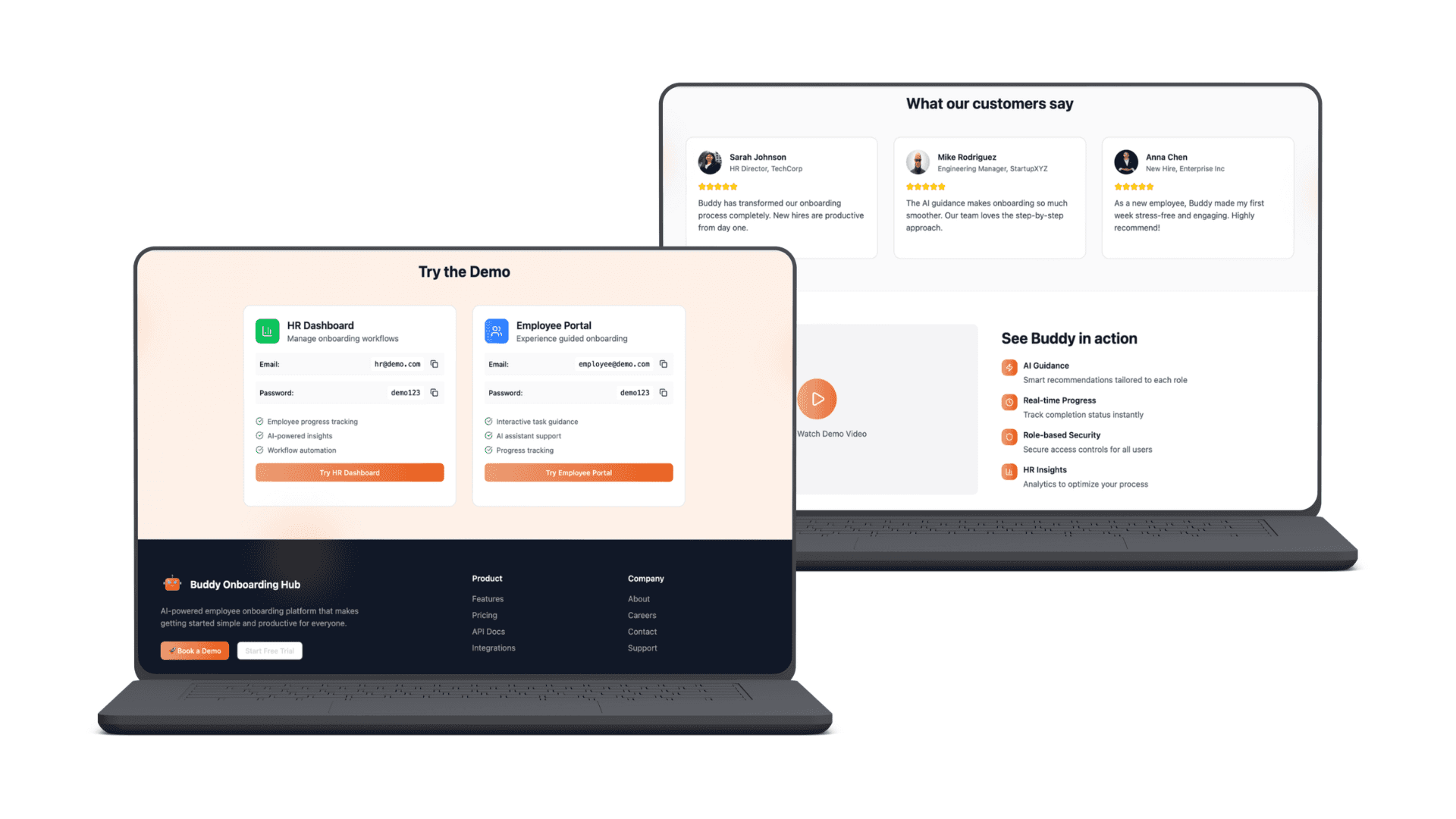
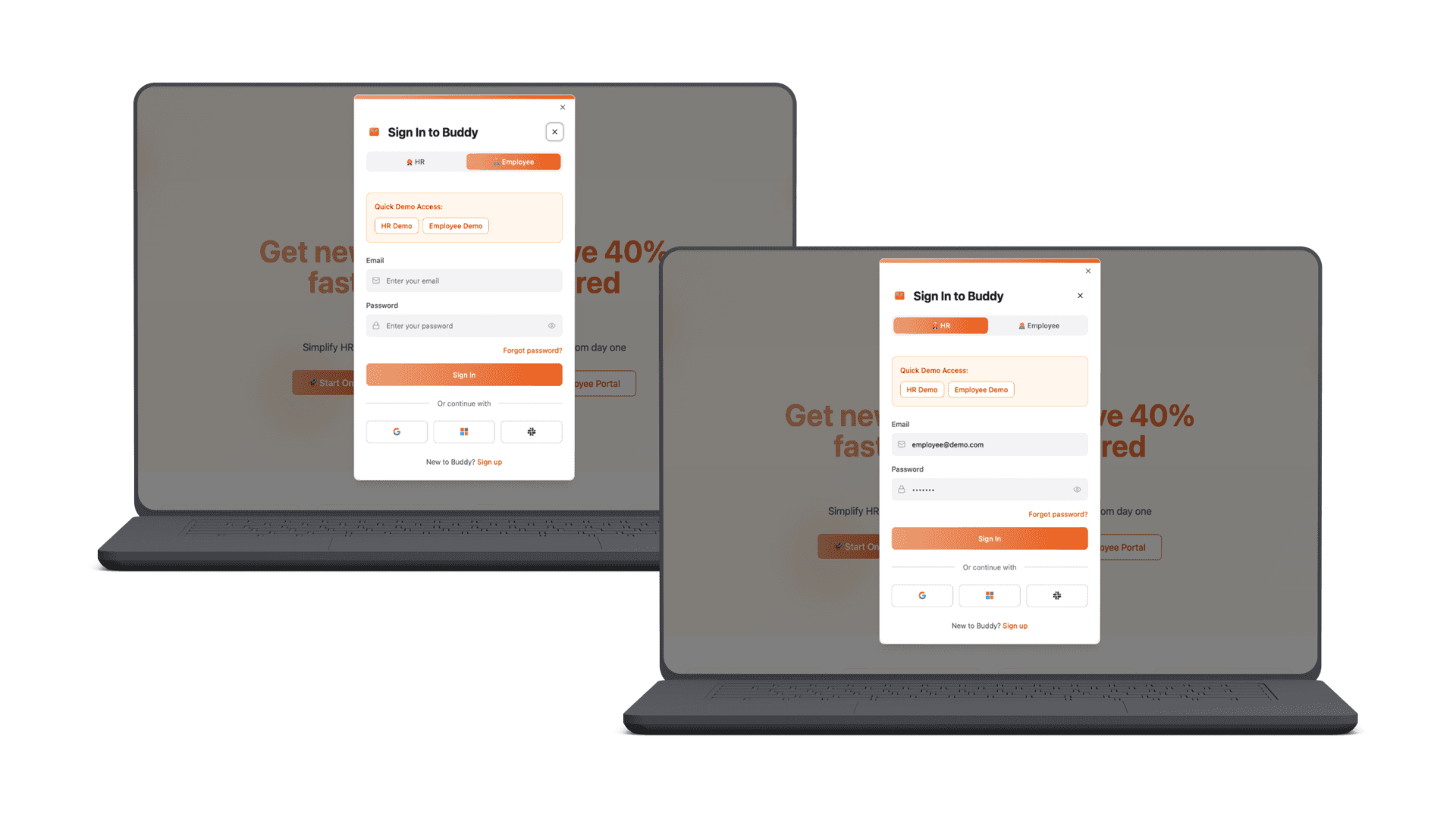
Sign In as an Employee and HR
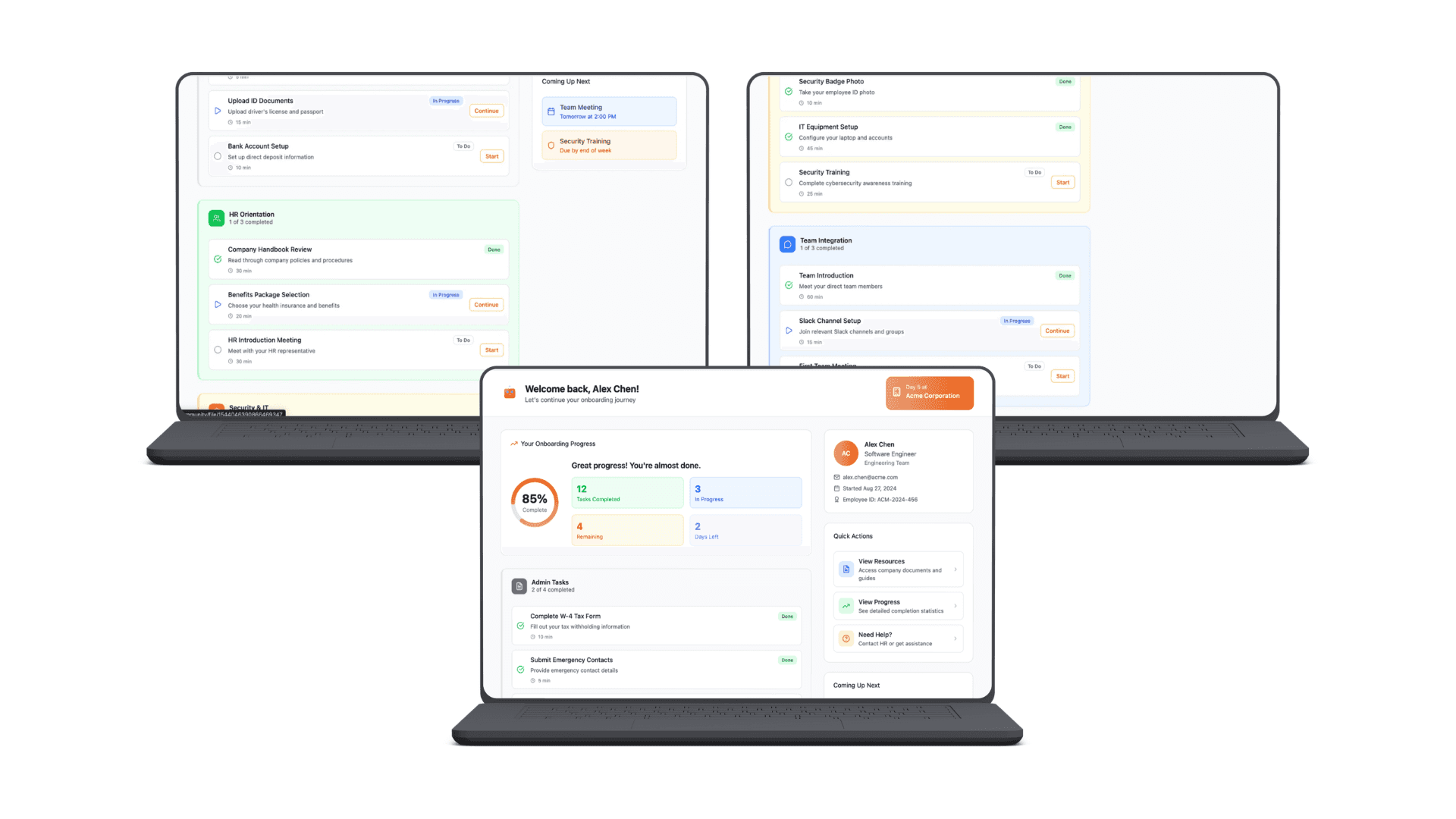
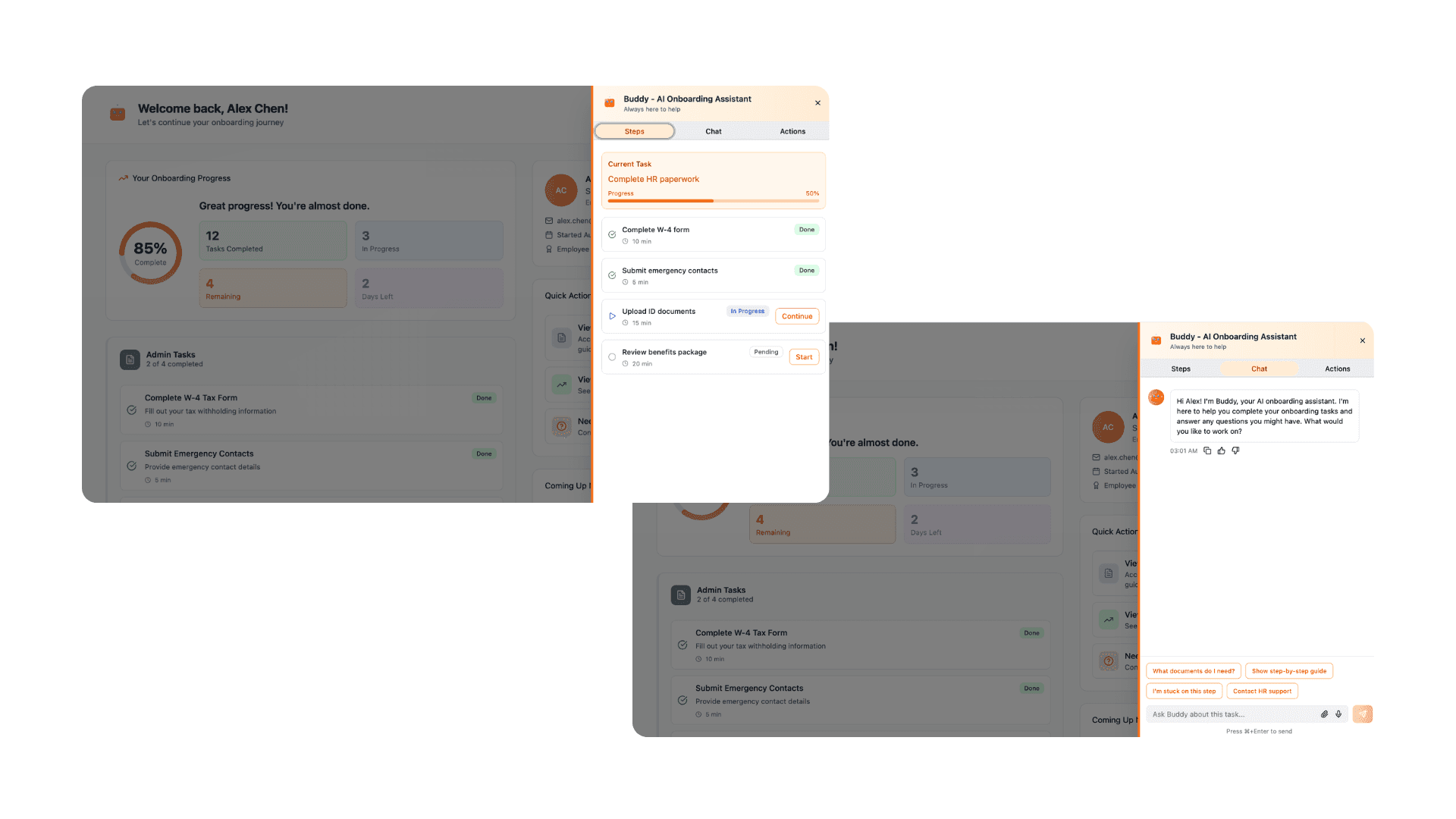
Employee Dashboard with Smart Task Manager
Dynamic Checklists: Auto-generated based on role and department requirements
Intelligent Reminders: Context-aware notifications that respect user preferences
Progress Tracking: Real-time completion status with dependency management
Integration Hub: Seamless connection with HRIS, IT systems, and communication tools
Employee Dashboard with chatbot
Instant FAQ Responses: 24/7 availability for common questions about benefits, PTO, and policies
Guided Task Flow: Step-by-step assistance through complex processes like payroll setup
Smart Escalation: Automatically routes complex queries to appropriate HR personnel
Multi-platform Access: Available in Slack, Teams, and web application
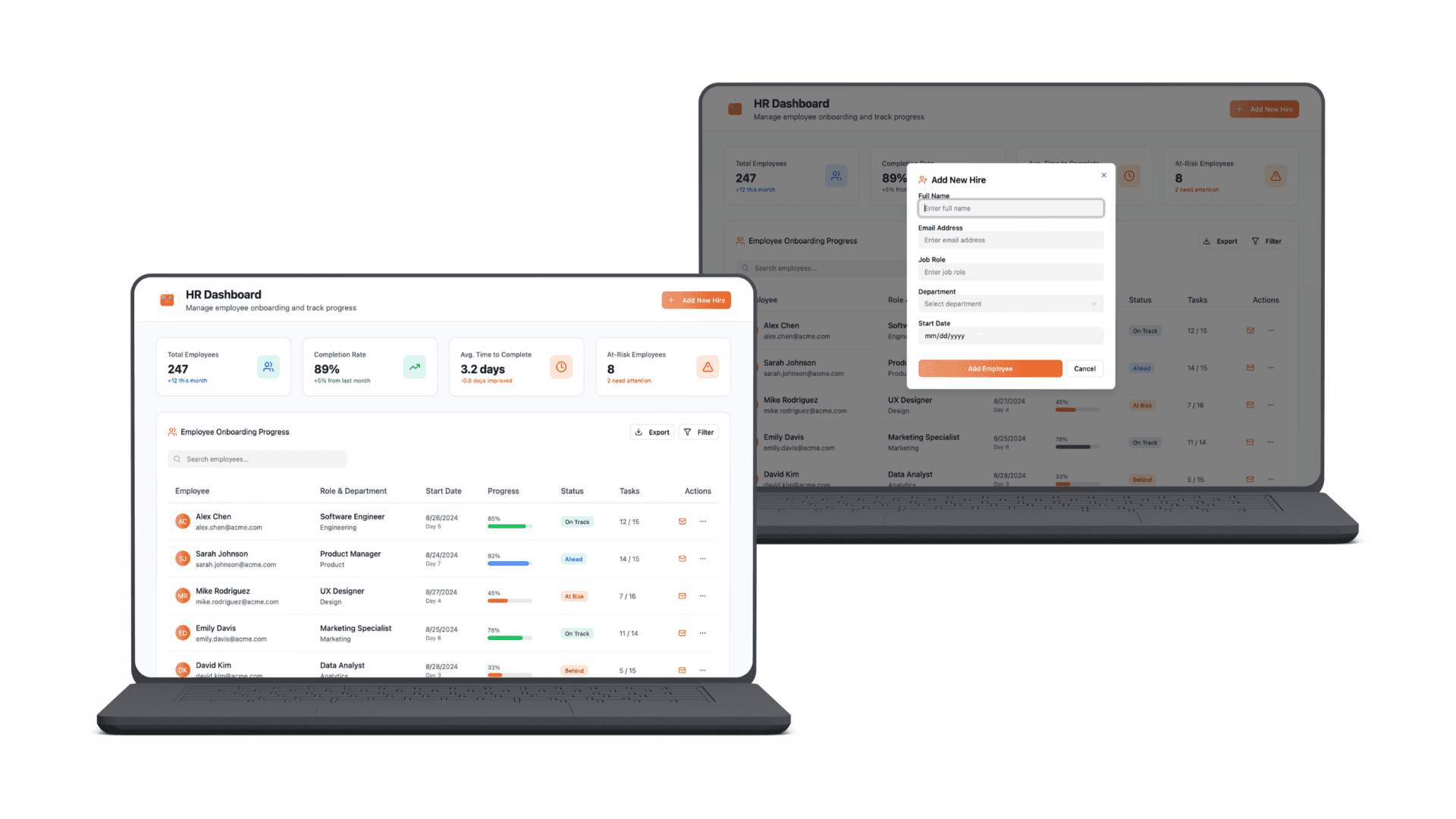
HR Dashboard with team progress
Team Overview: At-a-glance progress across all new hires
Risk Identification: Flags employees behind schedule or showing early attrition signals
Satisfaction Monitoring: Day-30 and Day-90 pulse check results
Performance Metrics: Onboarding efficiency and effectiveness tracking
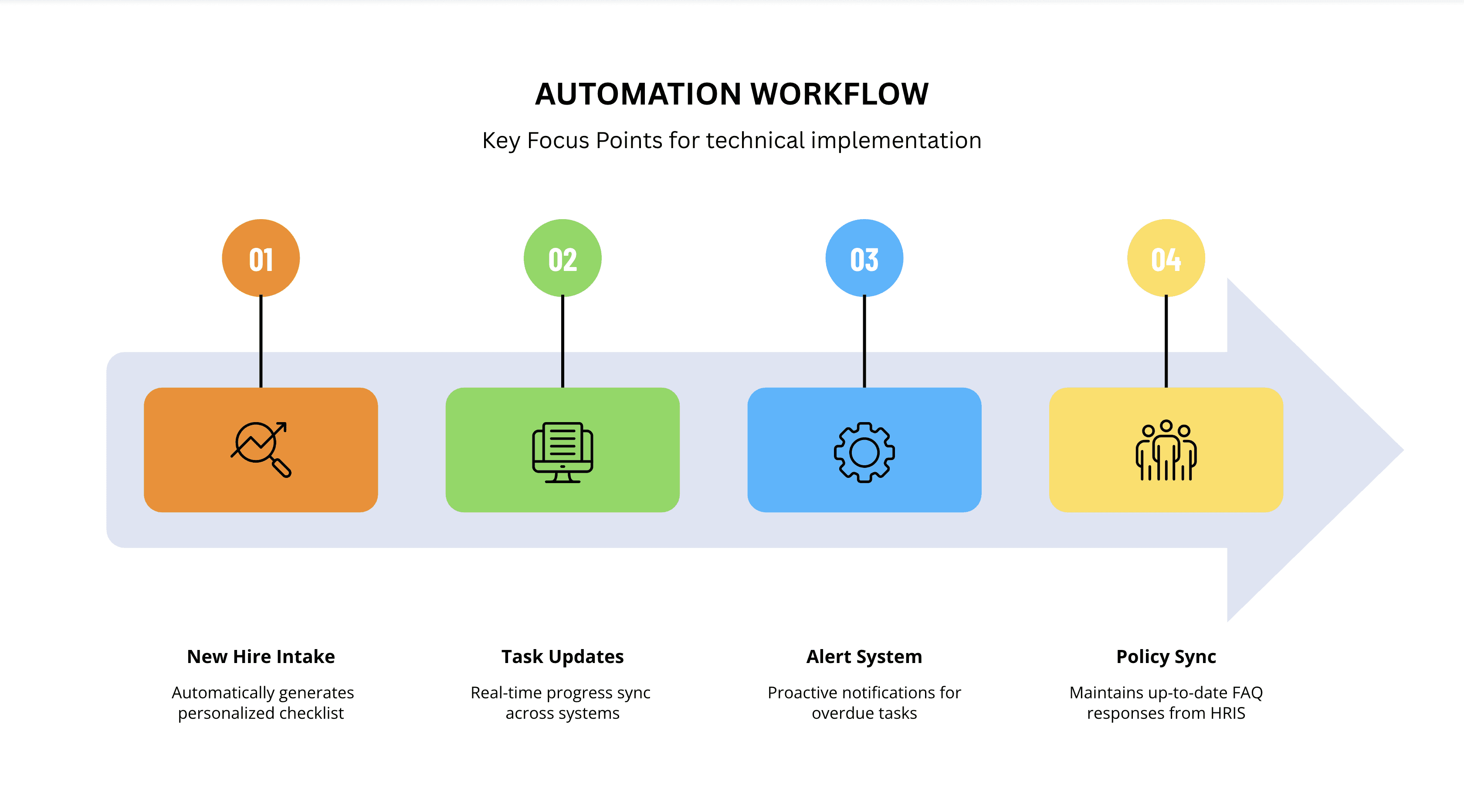
Automation Flow
Key Focus Points for technical implementation
Success Metrics/ KPI
Business Impact
Free up 40-50% of time spent on repetitive onboarding tasks
Reduce replacement hiring costs (averaging 1.5-2x salary per employee)
New hires contribute meaningfully 2-3 days earlier
Positive first impression reduces early attrition risk
What I learned?
What worked well:-
Starting with pain points rather than features led to more focused and user centered solutions
Phased rollout allows for learning and iteration
Building on existing systems rather than replacing them increased adoption likelihood
Challenges Overcame:-
Ensured escalation paths preserve personal connections, rather than just focusing on automation.
Implemented version control and HRIS sync to maintain policy and data accuracy
Designed manager endorsement and training into launch strategy for better change management
Future Enhancements:-
Use ML to predict onboarding success and intervention needs
Add company culture and team introduction modules
Native mobile app for on-the-go access
Accommodate diverse global workforce